Website Development Prices

Pretrazite Blog // Search This Blog

Showing posts with label Photoshop Background. Show all posts

Thursday, October 15, 2015

Jeans background in Photoshop

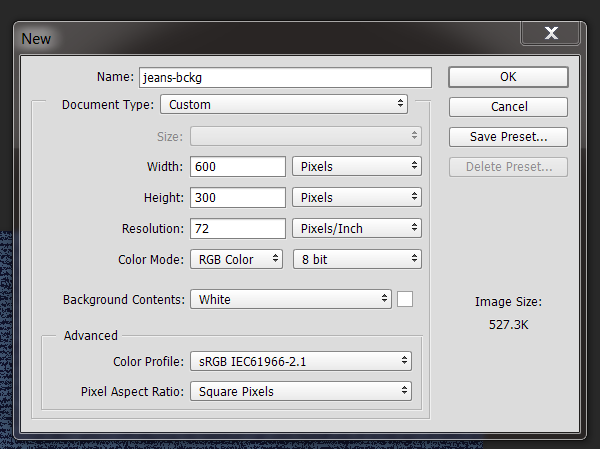
1. Create a new document . For this tut I used 600px x 300px.


2. Fill the layer with a blue color 183e6e.


3. Create a new layer, name it grey and fill it with grey color 7b7b7b.
Old Paper Background Photoshop

1. Create a new document . For this tut I used 600px x 300px.


2. Set the Foreground color to c59b6d and the Background color to e1caa9. 


3. Fill the layer with the background color e1caa9.
4.  Create a new layer, change name to clouds. 

How to install new brush

1. Click on Brush Tool (B).


2. From top bar, pick Load Brushes.


3. Navigate to the brushes folder and than to the .ABR file, which you previously extracted.


4.  Select the file and press Load button.


5.  To see brushes check Show Recent Brushes. Your brushes will appear at the end.


Fire background in Photoshop

1. Create a new document . For this tut I used 600px x 300px.


2. Set the colors to Foreground to black and Background to white (D).
3. Go to Filter, hover over Render and click on Clouds.

Search Blog

Price za decu